Hey Addie!
← that's your kid's name. Go ahead, type it.
The one toy your baby wants most is the laptop you're working on. Hey Addie turns it into a safe, calm play stage — dancing fruit friends, gentle tones, and a fullscreen world they genuinely can't escape. It even says hey to them by name.
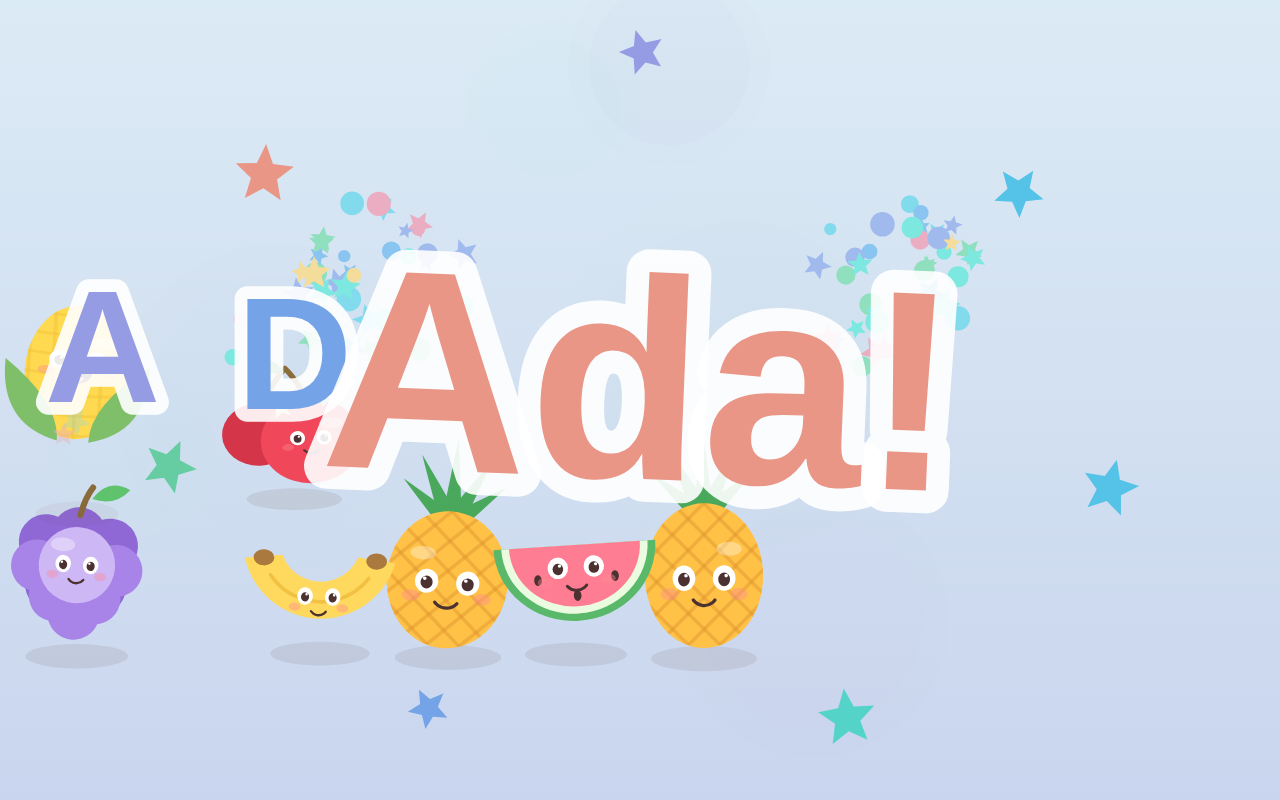
Real screenshot, straight from the app: spell their name and the stage throws a party.
They don't want the toy laptop. They want yours.
Every parent who works on a laptop knows the crawl-over: the meeting is running, little hands reach for the keys, and 40 seconds later you're renamed a folder, muted the call, and somehow bought something. The plastic toy keyboard fools nobody — babies want the warm, clicky, glowing thing you touch all day.
So we stopped fighting it. Hey Addie hands them the real keyboard — with every dangerous exit sealed. They smash; fruit dances, tones play, stars fly. You sip your coffee. Everyone wins.
A browser tab can't stop ⌘Q. Hey Addie can.
Free “baby keyboard” web pages are one ⌘Tab away from your inbox. Hey Addie is a real Mac app built like a padded room — in the nicest possible way.
Fullscreen kiosk lockdown
The stage takes the whole screen and keeps it. Dock, menu bar, and system shortcuts like ⌘Tab and ⌘Space are sealed off while the app is up.
The double-ESC parent gate
Two clean taps of esc — a gesture a smash can't fake — open the parent menu: resume, settings, minimize, or quit. Baby mashing esc among other keys? The gate stays shut.
The refocus jail
If little fingers somehow wander the app away, it notices the baby was mid-mash and pulls itself right back. When you switch away deliberately, it lets you go. It can tell the difference.
Calm by construction
No strobing, capped motion, soft pastels, a slow two-minute color drift, and a hard budget on how much can happen per second — sensory play, not sensory overload.
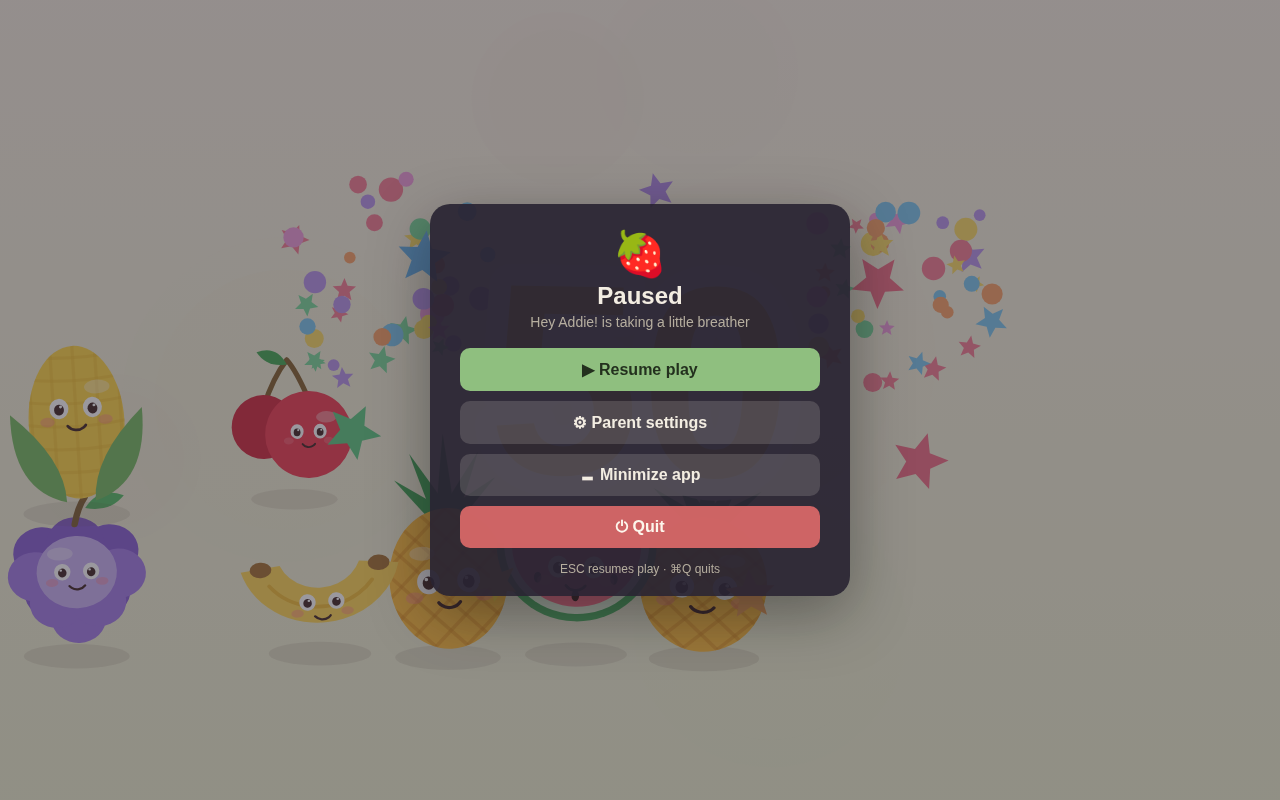
Parents get a real cockpit
Volumes, music, visual styles, milestone celebrations, an optional clap-and-babble microphone mode (off by default, audio never recorded), and session stats — total presses, favorite keys, minutes played. Every control is pointer-only, so the baby's keyboard smashing can't press anything that matters.
Honest fine print: no software can overrule a power button — but short of that, the room is padded.
Play the free browser demo — no download, no signup
Open the demo in this very browser, hand over the keyboard, and watch the fruit friends dance.
Honest note: the browser demo can't block ⌘Q — that's the app's job.
It knows their name. It learns their birthday. It plays their colors.
Personalized storybooks proved it: a child's own name is magic. Hey Addie is the first keyboard toy that does it in software.
“Hey Emma!”
Set your child's name and the title screen greets them, not our mascot. Ten seconds of setup, instant ownership.
The name game
As their letters get pressed in order — by tiny accidents at first, then on purpose — each one pops on screen. Finish the name and the stage erupts in a confetti celebration. First keyboard literacy, disguised as a party.
Birthday mode
On the big day, the stage opens with a “Happy Birthday” party all by itself. Grandparents: this is your gift angle.
Themes & friends
Pick the color world that suits your kid — and choose which character crews are in the mix, from the classic Fruit Friends to new packs below.
Seven friends included. More waiting in the Toy Shop.
The base app ships with the full Fruit Friends crew and the Daydream color world. Optional packs add characters and calm new palettes — bought once, owned forever, gated behind a hold-to-confirm parent lock so little fingers can't shop.
Fruit Friends
Strawberry, Orange, Banana, Apple, Watermelon, Grapes & Pineapple — the original dancing crew, plus the Daydream theme.
Included with the appOrchard Pals
Cherry, Peach, Pear, Lemon & Kiwi join the party.
$2.99Veggie Garden
Carrot, Tomato, Broccoli, Corn & Eggplant come dancing.
$2.99Color Moods
Four more calm worlds: Ocean, Sunset, Meadow & Twilight.
$1.99Locked packs never appear on the baby's stage — no teasers, no nags, no “ask your parents” buttons. The shop exists only behind the parent gate.
Built by a parent. Behaves like it.
- No ads. Ever.Regulators keep catching kids' apps showing ads to toddlers. We'd rather charge a fair price once.
- No data collected. None.No analytics, no accounts, no tracking SDKs. The app doesn't even need the internet.
- Works completely offline.Airplane seat, cabin, grandma's house — the party travels.
- The microphone is opt-in, on-device, and never records.Clap-and-babble reactions are computed in the moment and thrown away.
- Kids never see a store.Purchases live behind a hold-to-confirm parent gate. Locked content is invisible on stage.
- One purchase, your whole household.No subscription meter running while your baby plays.
“But there are free baby-keyboard websites…”
There are! We think they're great for a two-minute emergency. Here's what changes when it's a real Mac app that takes the job seriously.
| Can it… | Free browser toys | Hey Addie |
|---|---|---|
| Stop ⌘Q, ⌘Tab, ⌘Space | No — a tab can't | Yes |
| Survive a determined 14-month-old | Rarely | That's the whole design |
| Greet your child by name | No | Yes — title, name game & birthday |
| Work offline | No | Always |
| Promise no ads or trackers | Varies by site | In writing — there's no network code |
| Keep visuals calm on purpose | Varies | Capped motion, no strobing, pastel drift |
Less than one month of a kids' app subscription. Forever.
One-time purchase · whole household · all future updates
Optional packs $1.99–$2.99 · Everything Bundle $14.99 at launch
Coming to the Mac App Store too. 14-day money-back guarantee on direct purchases.
FAQ
What ages is this for?
Roughly 6 months to 2½ years — from “delighted by cause and effect” to “proudly typing their own name.” The name game quietly grows with them.
Is screen time like this okay?
Hey Addie is built for short, joyful, ideally shared sessions — it's a toy you play together at the desk, not a babysitter. Calm visuals, gentle audio, capped stimulation, and session stats so you know exactly how long the party ran.
Can my baby really not exit it?
Exits require either two clean, isolated presses of ESC (a pattern a smash doesn't produce) or ⌘Q from the parent menu's world. System shortcuts are blocked in kiosk mode, and if focus somehow wanders mid-mash, the app pulls itself back. No software can overrule a power button — but short of that, the room is padded.
What about my files while they smash?
Keys land on a canvas, not your desktop. The app never touches your documents; the only things it writes are its own settings and a local play-stats file.
Does it need the internet?
No. Nothing is online: no accounts, no analytics, no content downloads. Unlock codes for packs are verified right on your Mac.
Mac App Store or direct download?
Both. Direct purchases come with an unlock code and a 14-day money-back guarantee; App Store purchases get Apple's Family Sharing. Same app, same toys.
Windows or iPad?
Hey Addie is Mac-first because that's where the “baby wants my laptop” problem lives. If enough of you yell at us kindly, we'll look at more platforms.